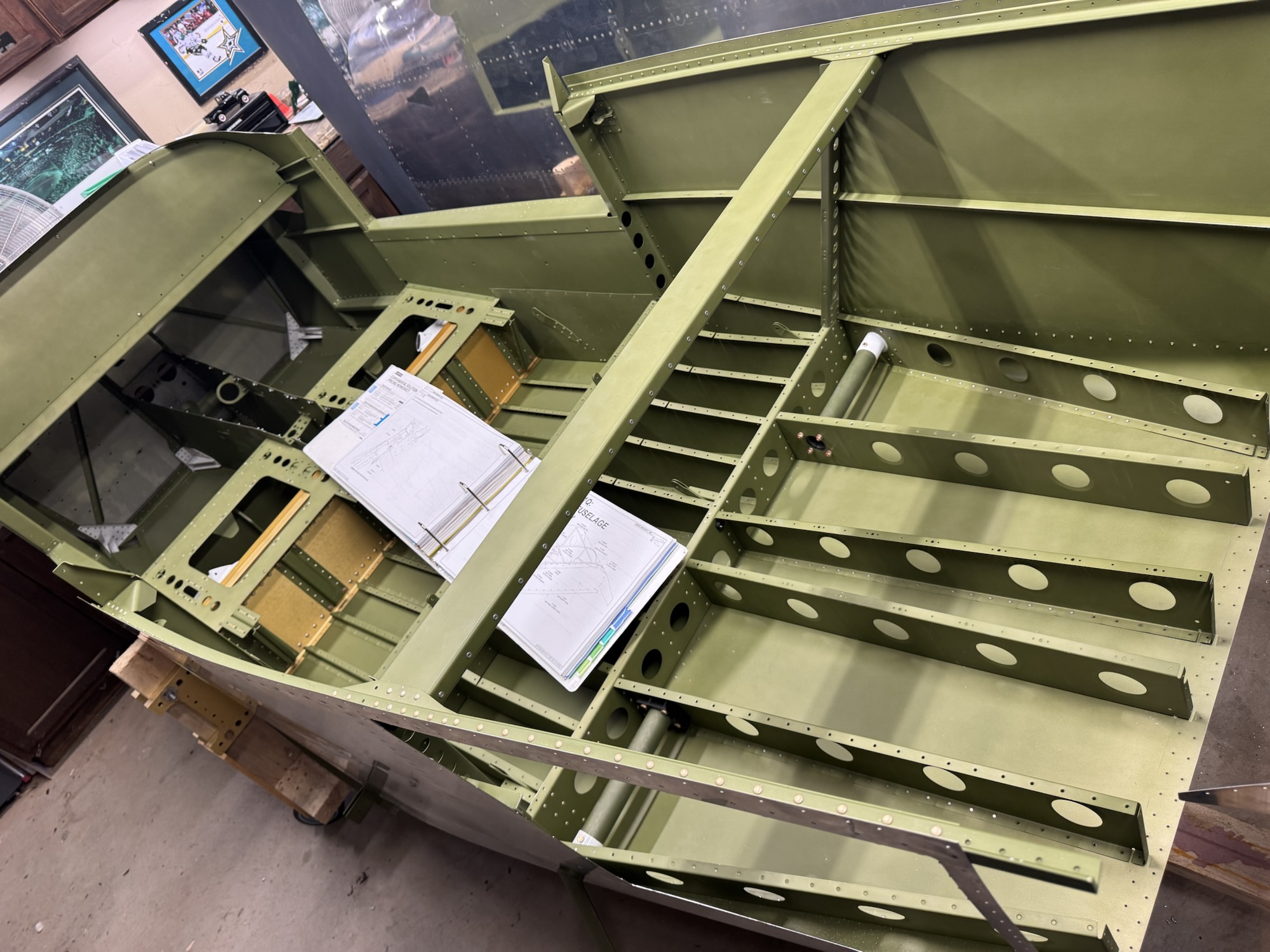
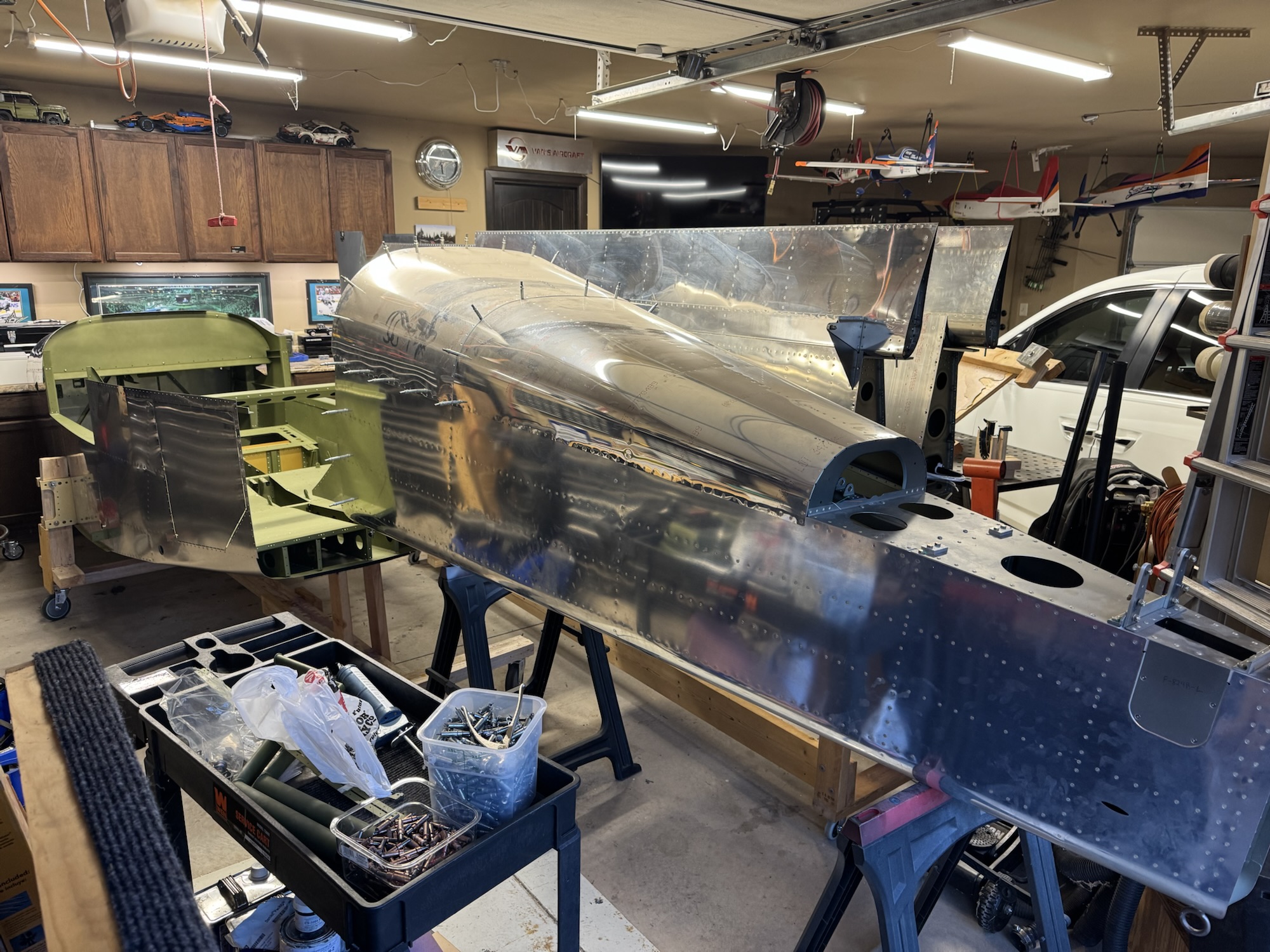
Tonight was the first real night of fuselage work. I had to remove the pop rivets they installed to hold down the components that they did not perform the final install on. I then inspected their work which was really good! They did an excellent job with all of their rivets, fabrication, and primer work. I got the rear steps installed and I removed the baggage door and started deburring it all. I also got some time today to start my wiring diagrams. The block diagram appears complete so I started reviewing the documentation so that I could get the connector pin outs documented for what I will be using.
I spent quite a bit of time in Visio working on the block diagram. I know the components I want/need in the plane so now I just need to document how they will connect to each other as well as the redundant paths in case one of the methods goes awry. When Brendon got home from school I got him and Andrew to help me out in moving the fuselage to the cradle. It worked pretty well and it is surprisingly stable which makes sense with the main portion going through the spar of the plane. It is VERY tight in the garage right now so I will definitely need to take the wings to storage as soon as possible. I just need to find a safe way to do it. I will probably have to move them one at a time as I don’t think they will both fit in the trailer at the same time without overlapping and creating an opportunity for scratching. Either way, here’s pictures from the work today. Note: The block diagram is not 100% finished yet. I still have a bunch of documentation to validate what is needed, etc.
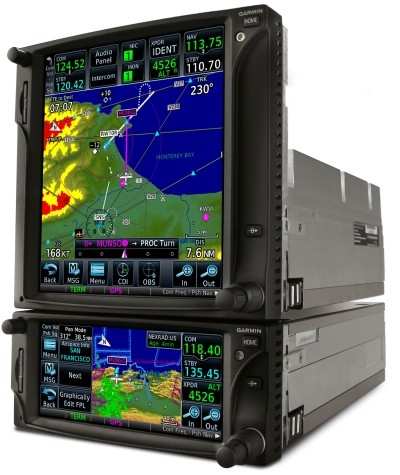
I’m well versed in the world of the GTN650 as it has been the main platform for almost half of my small amount of hours. It makes up for roughly 75 hours of my flight time, where the other half has mostly been spent in the G1000 series cockpits. I have a little bit of training with the 430, but that really is only about 3 hours in total if I remember correctly. So having a decent screen has been most of my experience in flying.
I had seen most of the guys use the two or three panel combo of the G3X or some other vendor in conjunction with a GTN650. I had contemplated for a while, why don’t I just use a GTN750 instead? I could get my approach plates on the moving map which would make flying IFR even that much easier, rather than having to look down at ForeFlight and see where I was in relation to the approach chart there.
I decided to specifically look up that topic as I imagined that there were quite a few people who had made that comparison, considering they are very similar platforms. Garmin actually made a really good write up entitled Stay in Touch with GTN: Differences Between GTN 650 and GTN 750
In this article they discuss the main issue I had with the GTN650, which was the ability for it to display both NAV and COMM radios frequencies, where the GTN650 only displays one set at a time and you have to toggle between them using the push functionality of the knobs on the bottom right. Many a time I’ve forgotten to check the NAV frequency and put it to the active when loading and activating an approach. I would prefer that to not be a problem, granted that should just be a habit change for me to push that nob to check it, but it’s just easier to look over and see it without having to take your hands off of the controls and push the knob especially if you are in real IFR conditions and possibly getting close to task saturation already.
I do like the feature provided in the GTN750 platform of having the approach chart on the moving map. Granted, this isn’t super critical if you load the full approach as it will show you the entire path you should fly on the map. I still like to have the chart up to reference items, though if you are coming in on the approach from the top of the chart, it will display upside down, which probably won’t benefit me in the long run LOL
I also like that the GTN750 integrates natively with the audio panel if you have their specific model installed. I prefer simplicity and if I can get one panel to run the entire plane with another panel in the middle for all of the navigation, weather, and approach information, that would be best.
On top of these differences, which really aren’t that many, the cost is one thing that is helping me make this decision. The GTN750 is $5,500 more than the GTN650, where a G3X is only $3900 in total. And going back to my mantra of simplicity is better, I can control everything through the G3X, whereas the GTN750 would only be able to control the transponder and the audio panel. I want my secondary NAV/COMM, engine instruments, as well as my autopilot integrated as well.
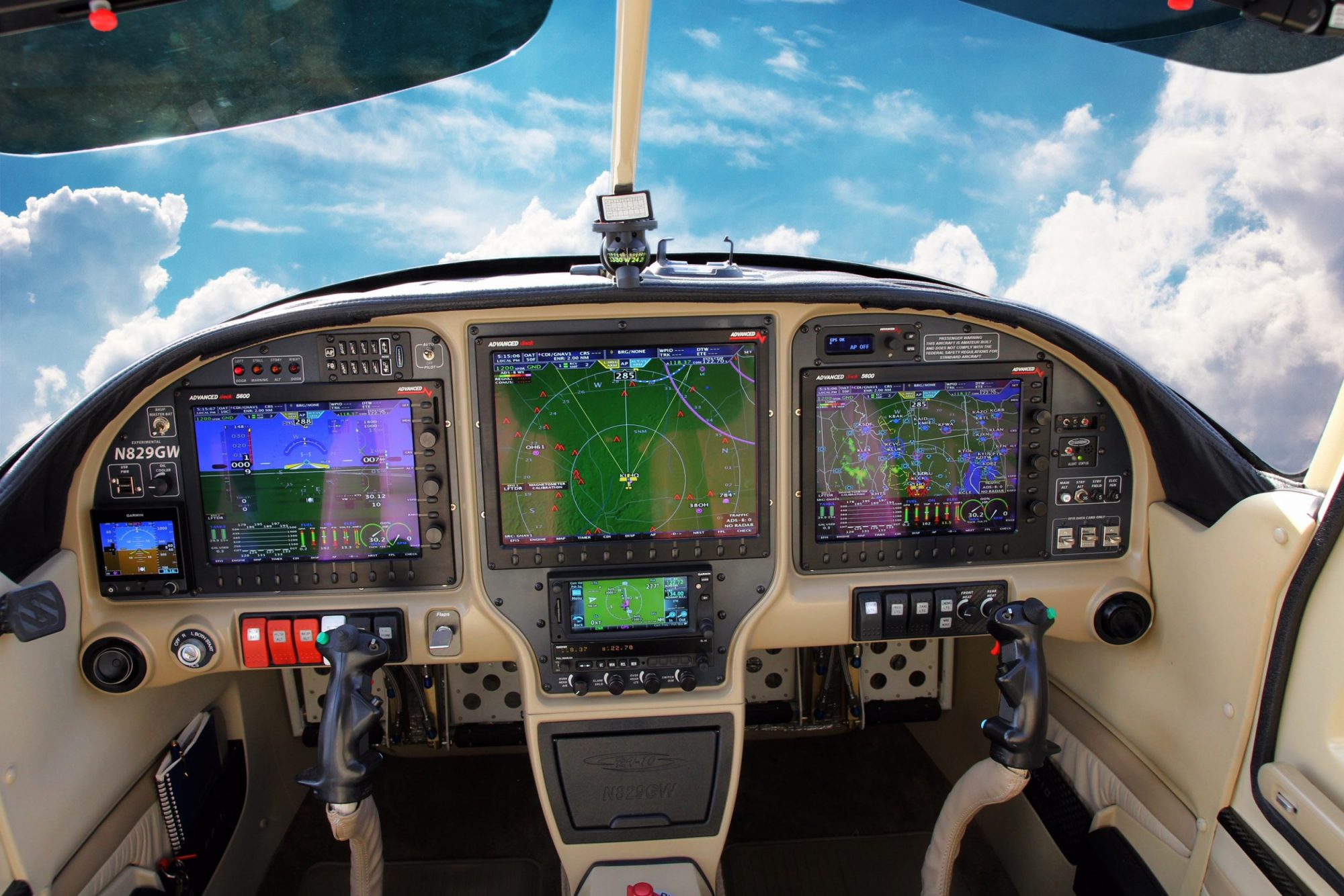
Now to just plan out how I’m going to put these three panels together. I really like Good Plane Living’s idea so that I can have the same control instruments on both the pilot and passenger side, with the engine and navigation/weather related information on the middle panel. The only thing I might skip is having the physical autopilot controls on the panel. Something similar to what you see below just without the autopilot.
Or, possibly this scenario to give me more room below the middle panel. I like the idea of having that storage in the front middle console for things like sunglasses, wallet (which I hate having in my pocket so it usually comes out with I drive/fly) and then have the center console for things like maps, audio panel hookups, manuals, etc. I think I like this option better.
While I’m waiting for this lockdown to conclude, I’m really just continuing my research. I wanted to discuss the build with my local EAA chapter here in Oklahoma City before I made the purchase of the empennage kit which would need to include tools as well. I’m hoping they will have some good insight, tips to share, and recommendations. So, in my continued research, I am most interested in the panel setup and the avionics, which is something I’ll be using quite a bit of during flight both in VFR and IFR conditions.
I don’t want to call any companies and get them riled up or waste their time on how to set up my panel, but the Garmin setup looks very fascinating! They have so many backend modules that integrate with the G3X and it reminds me very much of the days of my private pilot training using the G1000. I’m very impressed by the Garmin G3X Autopilot system. According to the literature I’ve read, the additional components you would buy are the smart servos for either the roll, roll/pitch, and roll/pitch/yaw configuration you desire and it will integrate with the system. You then access all of the controls through that panel.
I’m also interested in the ESP (not telepathy, lol but it stands for Electronic Stability and Protection. It allows the system to protect you from going beyond your airplanes operating envelope. Their video explains it better than I can, but it works in both the roll and pitch categories to keep you from over banking or stalling/overspeeding the aircraft.
Garmin ESP Overview
I will say I’m torn about weather to get a GTN650 and have a third G3X panel for viewing weather, etc, or if I should go with a GTN750. The only thing that has ever bugged me about the GTN650 is not being able to see my COMM and NAV radios at the same time. It takes longer to make sure I’m listening to the right NAV frequency and actually caused me some issues during training where I kept forgetting to make the frequency active when I would load an approach because I would just forget about it. Out of sight, out of mind. But I’m not sure if it’s worth the additional cost to do that and not have as big of a screen. Still looking into that as I might be able to see both the COMM and NAV frequencies on the G3X instead which would fix my one and only issue with the GTN650 at this time.
I ran across another RV-10 builder’s log this week as well. I couldn’t find any name to reference, but here is a link to his Blogger site:
He had an excellent setup as well that was more focused on his side of the plane and only used two G3X panels. I think that would put the GTN650 further out of reach than I would like, but if all of the functionality of the GTN650 is available through the G3X it might not matter. His panel was very clean though. Here are some pictures of it.
Pilot seat view of the panel setupPassenger seat view of the panel setup
I would have saved room on my panel by removing the autopilot controls, but it is still very slick. I like that he has a tertiary attitude indicator, but maybe that’s overkill? I need to see if both of the G3X’s rely on the same source for attitude information. If that’s the case then having a cheaper standby would be good to have in the event of an AHRS failure.
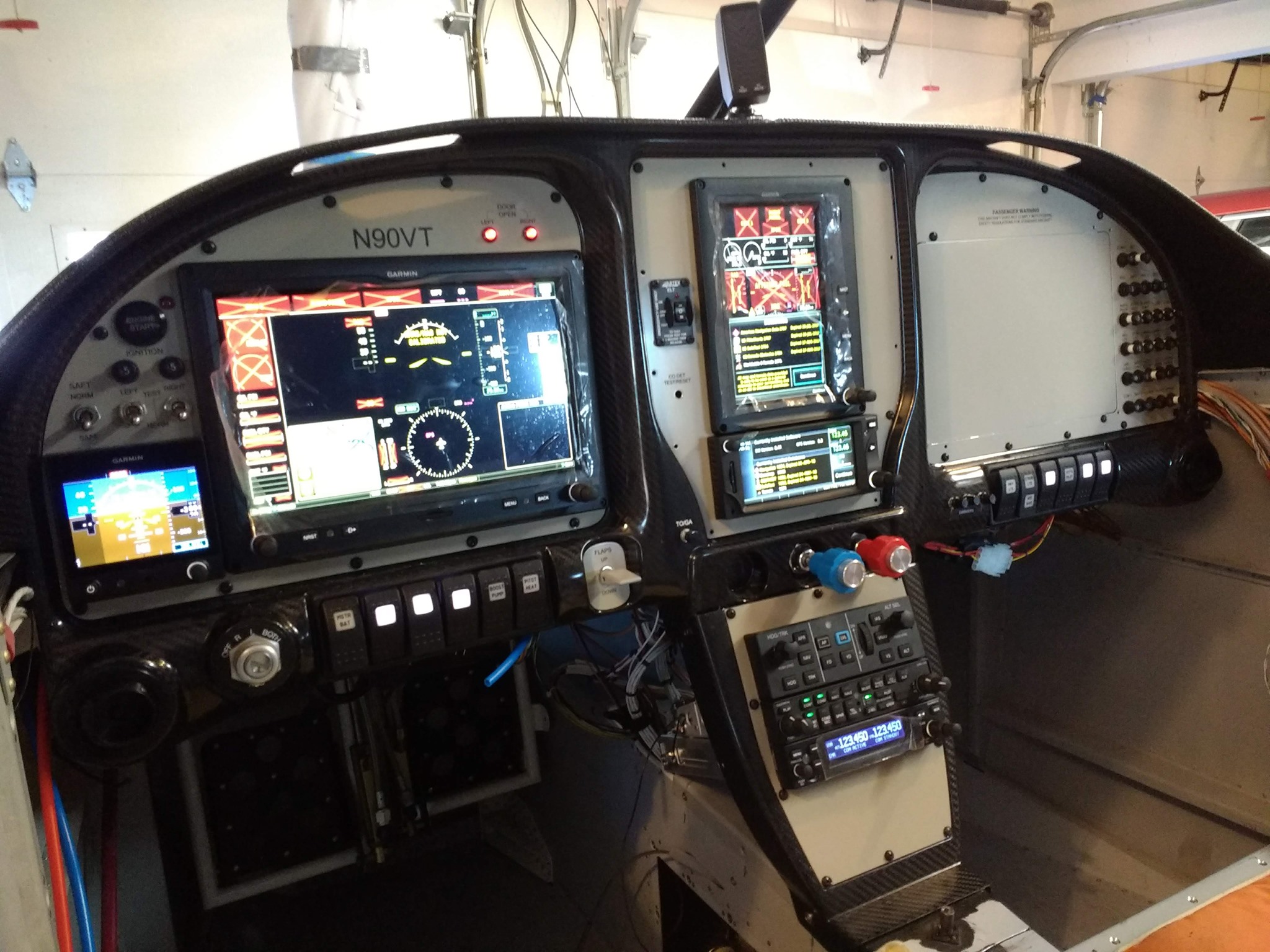
Here are some more pictures of his panel with everything up and running.
Pilot seat view of panel with all avionics onCenter panel view
I hope to get a good setup mocked up in some visual format. Again, having something to admire and drive to gives me the most motivation so I want to have alot of visual help to keep me going 🙂
I will say, this has been the most worrying part of this whole project in my mind. They don’t tell you much about how all of these systems interconnect when you are taking classes for your private pilot and your instrument rating and I’ve never looked under a panel to see how it’s all done. So not having a frame of reference makes this a little scary. I work in IT so I don’t believe I’m going to have problems figuring all of this out.
I did a quick Google search for RV-10 avionics and panel setups and it brought up this really awesome video that Good Plane Living did covering how he setup his panel.
Good Plane Living – RV10 Panel Tour
I love how this whole thing is organized. He has his emergency related buttons in a small section on the left side of the PFD, flight related buttons are underneath the PFD, some accessories and what not underneath the MFD, and then he has all of his lighting on the ceiling of the cockpit next to the map lights and vents. Very well organized panel. I really like the center console controls as well. It’s a very natural position for anyone to have their right hand and is very much like a modern car.
He had some interesting lighting that I had never thought of doing before. He has foot well lighting. It is in red so that it won’t ruin your night vision. He also has the normal map lights for both front and back. He also has a dimming switch in the front for the rear lights. That will allow you to disable the rear lights even if they turn them on if you don’t want to ruin your night vision.
He has this all installed in an Aerosport Products RV-10 310 Panel system. It appears that if you don’t want the carbon fiber look, you do have the option of painting it over? They show a few different installed versions that are colored to match the interior, which is more the way I’m wanting to go.
Aerosport Products RV-10 310 Panel
I mentioned the center console throttle, prop, and mixture location earlier, and this product is also provided by Aerosport Products. It is their RV-10 Quad Arm Rest that appears to come in a version you can paint or the carbon fiber. It does not come with the fuel selector location that Good Plane Living has in his video it appears, so might be something to take a look at. I like the position for the fuel selector as it has always been in the floor board or against the left kick panel in previous planes I’ve flown and they’ve been a pain to reach.
Here are the rest of the avionics he has installed:
He doesn’t remember in the video, but this is the one that I found on Garmin’s website that can be used with the G3X
There are other components that are more than likely behind the panel, such as his transponder, AHRS, ADC, and other components. But I’m hoping as we get much further down the road that I will get a chance to talk with an avionics shop to see how best to setup the panel to fit my needs. I love this panel setup and the information it provides him, the only part that he didn’t mention that I love having in my current plane is the FlightStream 210 which interacts with my iPad. I might be able to get rid of a third screen in that panel and just use my iPad, or I could keep it. Decisions that will be made much later on!